
Digital Forms & Templates
Replace paper forms and manual documents with smart digital alternatives that auto-fill, validate, and route to the right people, cutting down data entry.
Still Using Paper Forms?
Here is what that is costing your business
How It Works
Audit Your Forms
We review every paper form, Word doc, and PDF template your business uses and identify which ones to digitise first.
Build Smart Forms
We create digital forms with auto-fill, validation, conditional logic, and automatic routing, connected to your existing systems.
Go Paperless
Your team starts using the digital forms. Data flows straight into your systems, with less re-keying, fewer lost forms and fewer errors.
What You Get
- Custom digital forms designed to your exact requirements
- Auto-fill fields from existing data (no double entry)
- Validation rules to prevent errors and missing data
- Automated routing, so forms go to the right person automatically
- Integration with your existing systems (SharePoint, Excel, CRM)
- Document template automation (proposals, invoices, reports)
- Mobile-friendly, works on phone, tablet and desktop
- Training and post-launch support for the period set by your package
Frequently Asked Questions
What platforms do you build digital forms on?
We use Microsoft Power Apps, SharePoint forms, Microsoft Forms, and custom web forms depending on your needs and existing tech stack. If you're on Microsoft 365, Power Apps and SharePoint forms are usually the best fit.
Can digital forms work offline for field staff?
Yes, with the right setup and licences. Offline use depends on how the app is built and which Microsoft licences you have. We check this in the consultation.
How much does a digital form project cost?
Simple form replacements start from $1,200. More complex projects with multiple forms, workflows, and integrations typically range from $3,000 to $8,000.
Can you convert our existing Word or PDF templates?
Yes. We convert Word documents, PDF forms, and Excel templates into smart digital versions that auto-populate, calculate, and generate completed documents automatically.
Digital forms we have built
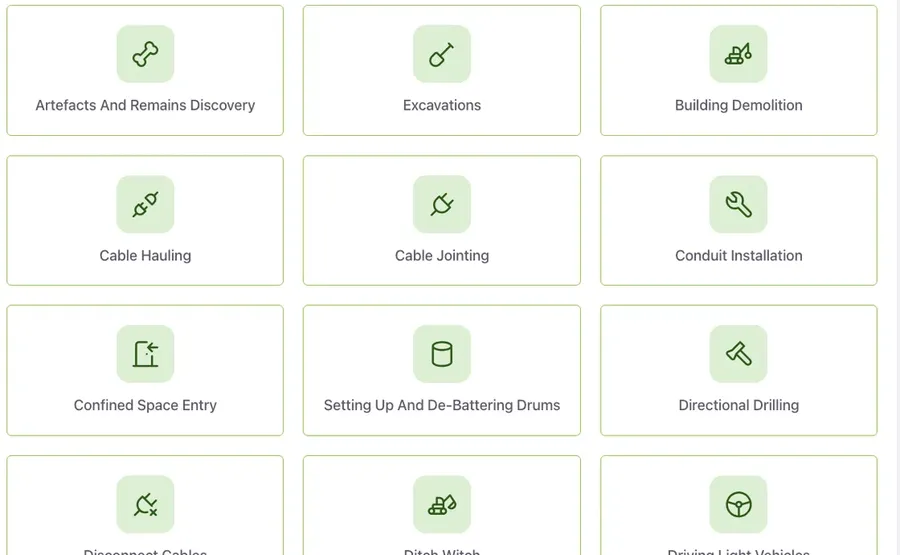
Paper safety forms and new starter paperwork, both moved onto phones and iPads.
Advance Excavations, Perth
Safety forms app for Advance Excavations
Site supervisors fill in and sign Safe Work Method Statements on an iPad. The finished PDF files itself into the right project folder.
- • Live since June 2026.
- • By late September, 27 real forms had been submitted and all 27 PDFs were made and filed, with no failed jobs.
Advance Excavations, Perth
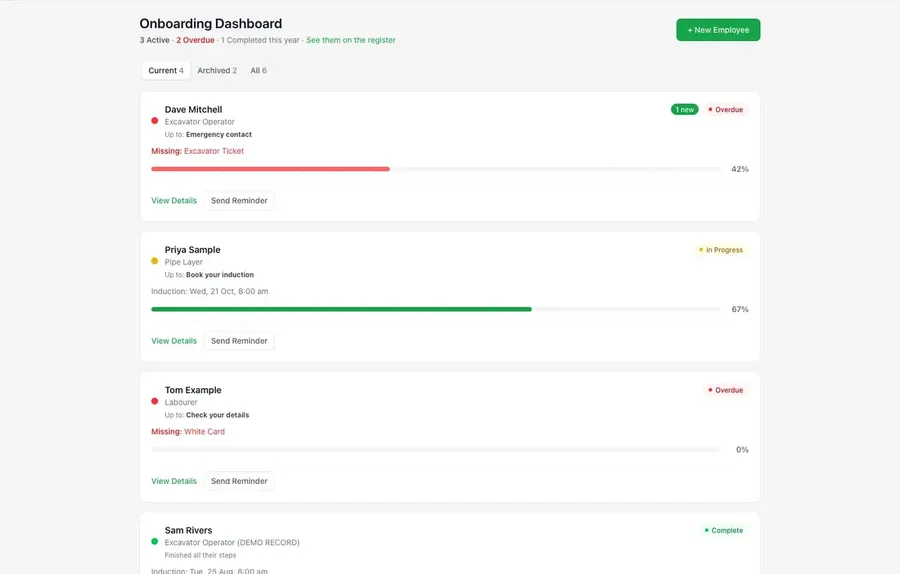
New starter onboarding by text message
New starters get a text with a link and do their paperwork on their phone. HR sees who is stuck and the training register fills itself in.
- • Built, tested live and hosted in Perth from October 2026.
- • Text messages and HR alert emails tested end to end in early October.
Related reading
- What a Buyer's Due Diligence Actually Asks For
The document list a buyer sends when they make an offer, and why records living in one person's head get priced as risk.
- Power Automate: A Practical Guide for Australian Businesses
What it actually does, what it costs in AUD, where it beats Zapier, and the mistake that leaves businesses with hundreds of orphaned flows.
Ready to go paperless?
Free consultation. We'll show you which forms to digitise first.